
Late registrations


We know that filling spots is important for your business (and for our mission). More registrations mean more kids can access extracurricular activities and communities can thrive.
Sometimes families miss the registration deadline and try to sign up after an activity has already started. To support this, you can choose to accept registrations after your event begins.
Allow registrations after an event has started
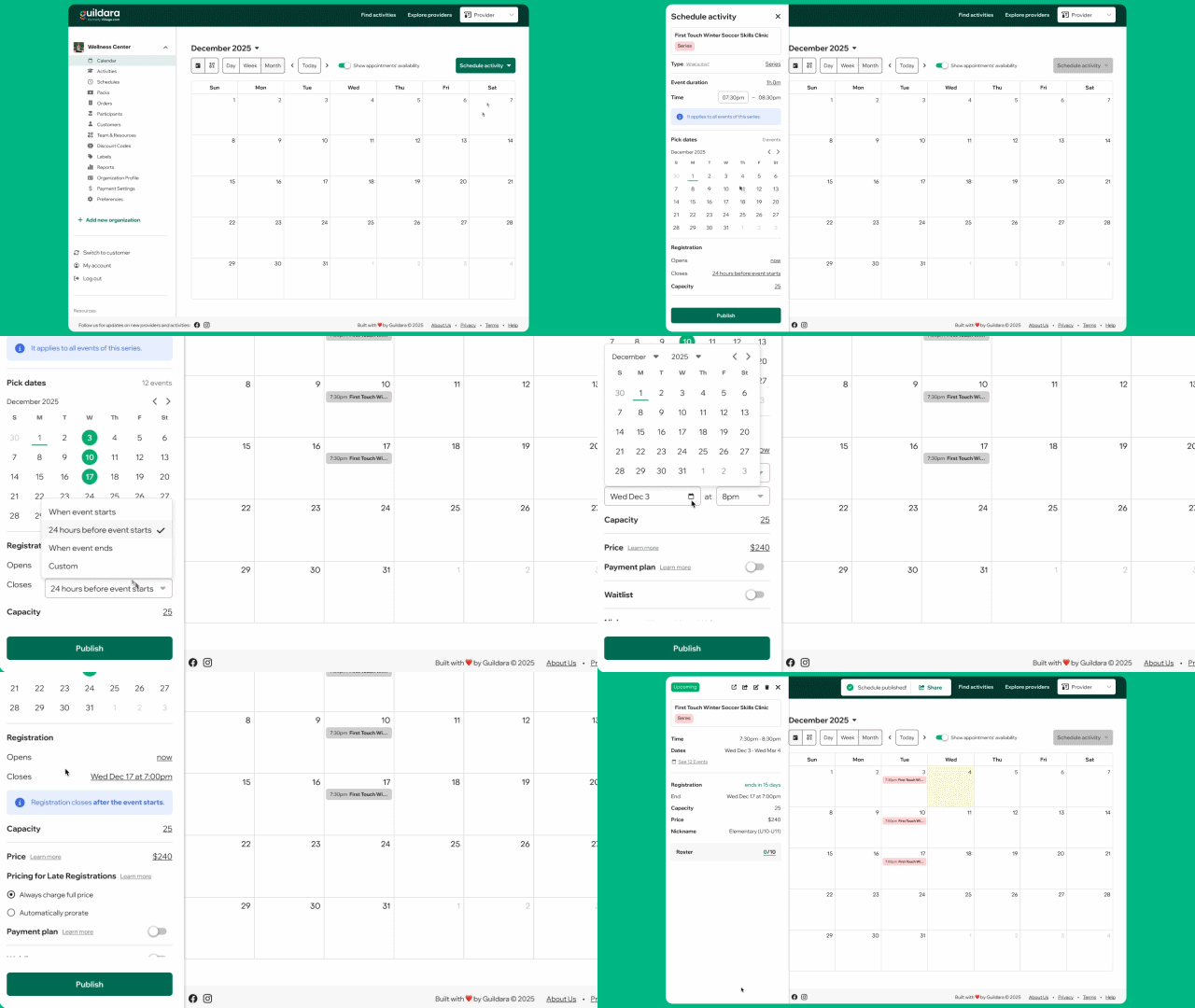
You can let families register any time after registration opens and before the event ends. To do this:
- Create or edit a one-off or series schedule.
- Scroll to the Registration section.
- Set a custom registration closing date.
- The closing date can be after the event starts and before the event ends.
- Make sure the registration opening date is before the closing date.
- Or, select “When event ends” to accept registrations until the last session finishes.
- Save or publish your schedule.
How pricing works for late sign-ups
Pricing behavior depends on whether the activity is a series or a one-off event.
Series activities
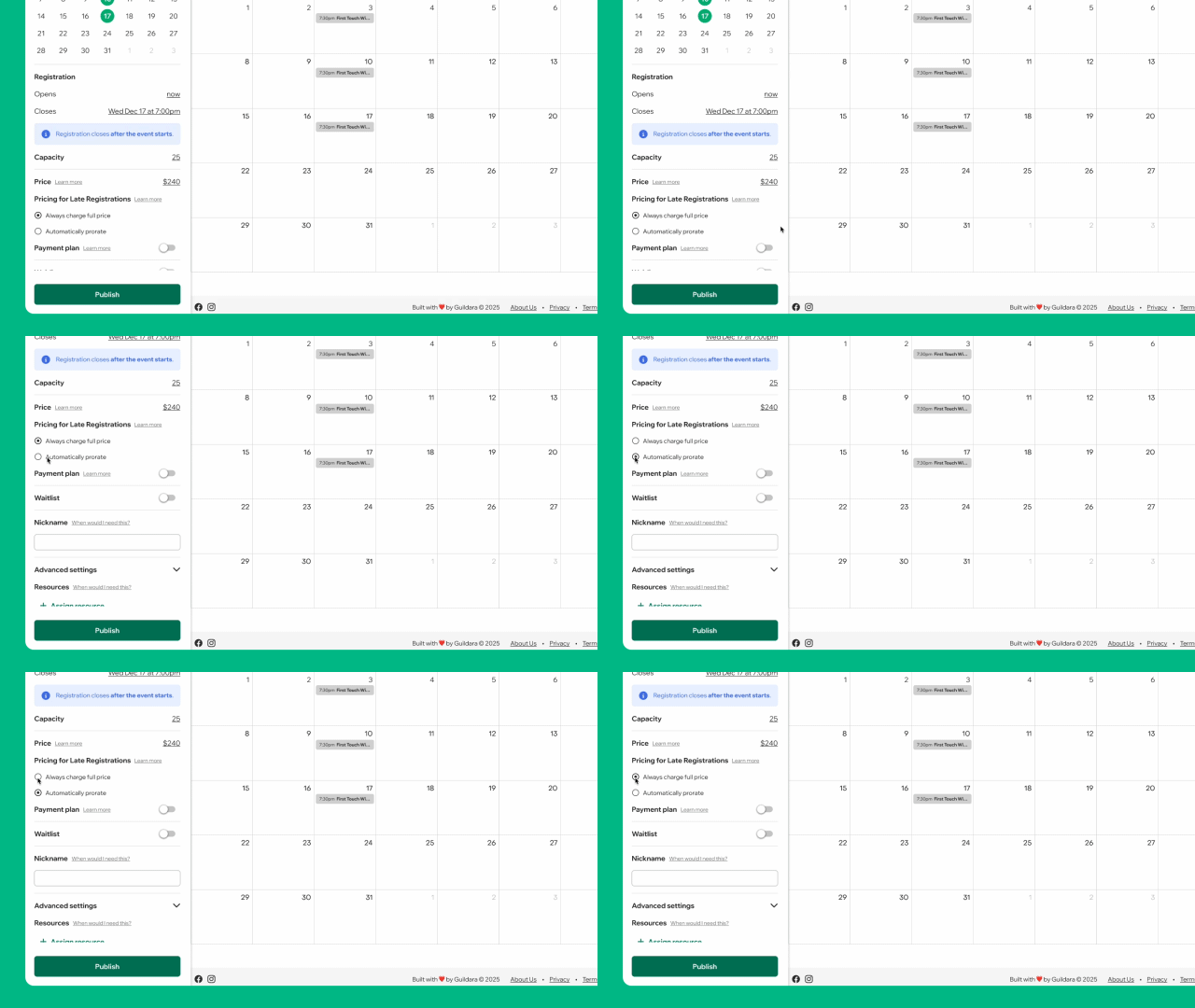
If the activity has multiple sessions, you can choose how pricing works for participants who register after the event has started.
- Automatically prorate: Participants are charged only for the remaining sessions.
- The price adjusts based on how many sessions are left at the time of registration.
- Each session is charged in full.
- If a participant registers after the final session has started, they are charged for one full session.
- Always charge full price: Participants are charged the full event price, even if they register after the event has started.
One-off activities
For one-off events, late registrations are always charged the full price.
Limitations: Not available for appointments
Late sign-ups are not available for appointment-based activities.
Alternative option: create an order for a family
You can also collect late registrations by creating an order on behalf of the customer. This option is useful if:
- The late registration is an exception to your usual settings.
- You need to offer a different price.
- The family wants to pay offline (cash or check).


