Payoffs Report


ℹ️ This article explains how to read your Payoffs report. If you're looking for information about payoffs schedules and when funds arrive in your bank account, start with Payment schedules: when do I get paid?
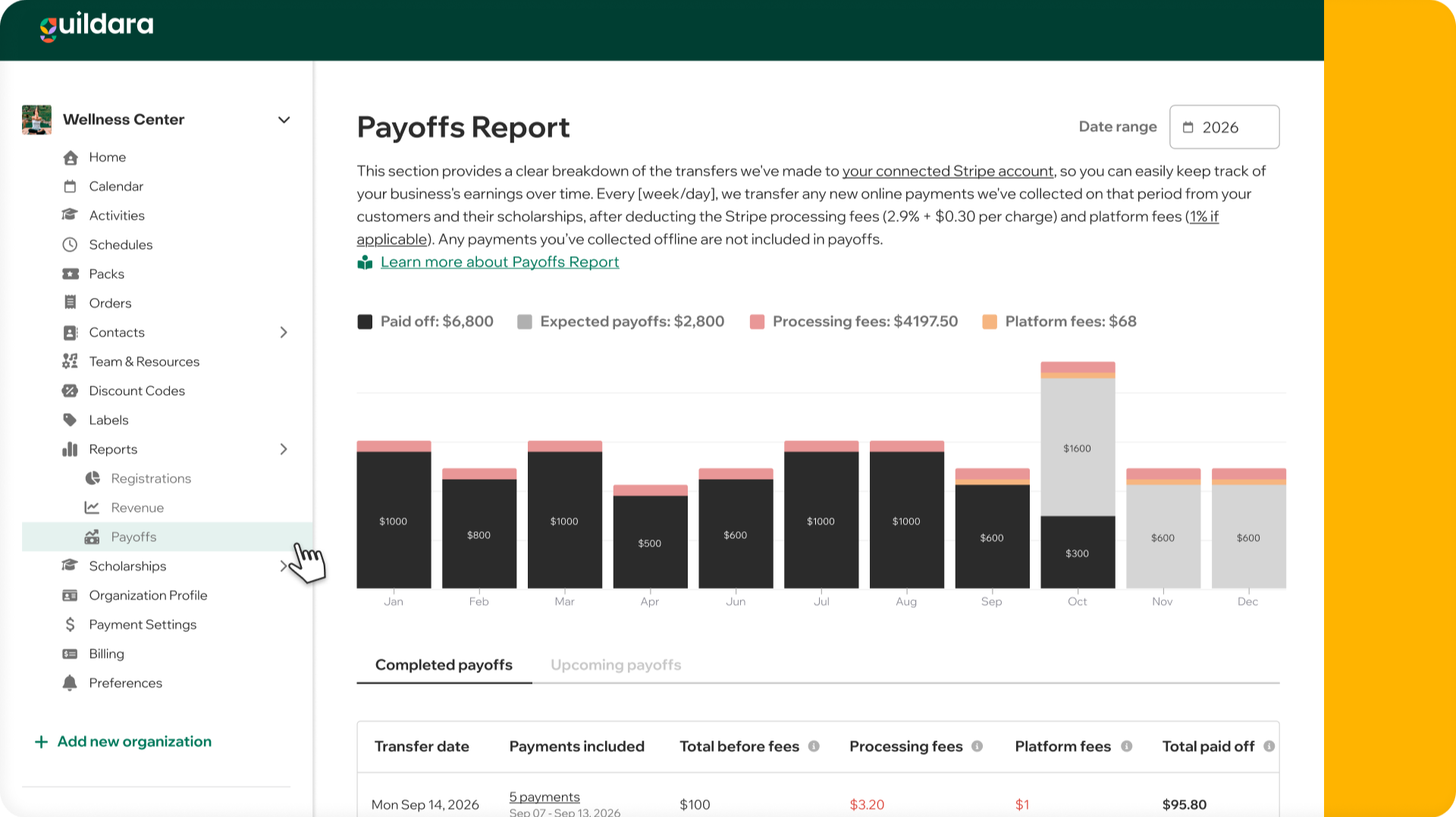
In this report, you’ll find a clear breakdown of the transfers Guildara has made to your connected Stripe account, helping you track your business earnings over time.
Completed payoffs: your earnings on Guildara
This section lists all transfers Guildara has initiated to your connected Stripe account within the selected date range. Here’s what each column on this table means:
- Transfer date: Shows the date when Guildara initiated the transfer to your Stripe account. Once the funds land in your Stripe account, please allow a few business days for the funds to appear in your bank account. The exact timing depends on Stripe's payout frequency.
- Payments collected: Payments Guildara collected in the last week or day, depending on your payoff frequency. Click on this cell to view a detailed list of all installments included in this payoff, giving you complete transparency over collected payments.
- Total collected: The total amount from scholarship and payments received (including any custom fee charged) minus any refunds.
- Processing fees: Stripe’s processing fee of 2.9% + $0.30 per payment collected.
- Platform fees: Charged by Guildara based on the plan active at the time each payment was collected.
- Total paid off: The total amount transferred to your Stripe account after deducting processing fees.
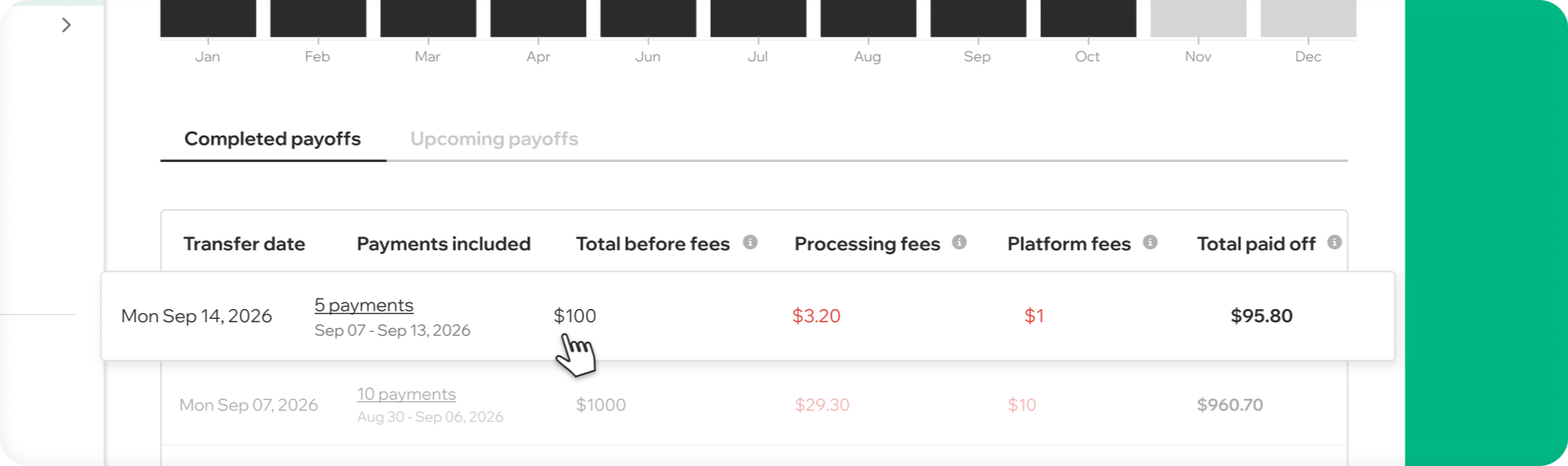
This table helps you understand which payments were included in each transfer, what amount was transferred after fees, and when the payoff was received:
In the image example, for the period Sep 07–Sep 13, 2026, Guildara collected 5 online payments totaling $100. Those payments were transferred to your connected Stripe account on Mon Sep 14, 2026, after deducting Stripe processing fees ($3.20) and the applicable Guildara platform fee ($1), since your organization was on the Pay-as-you-go plan when the payments were collected.
Upcoming payoffs: expected earnings
This section shows a list of upcoming payoffs within the selected date range based on your set payoff frequency and expected payments to collect. Here’s what each column means:
- Estimated Date: The projected date when Guildara will initiate the transfer to your Stripe account based on your organization’s payoff frequency.
- Expected Payments: The total number of payments collected and installments expected to be collected in this period. Click on this cell to view a detailed list of all installments expected to be included in this payoff, giving you complete transparency.
- Expected to Collect: The expected total dollar amount of payments collected and to be collected in this period.
- Processing Fees: Estimated Stripe fee of 2.9% + $0.30 per payment, calculated on the “Expected to Collect” total.
- Platform fees: Estimated platform fee Guildara will apply if all payments were charged under your current plan.
- Expected Payoff: The projected amount we expect to transfer to your Stripe account on the estimated date, after processing fees.
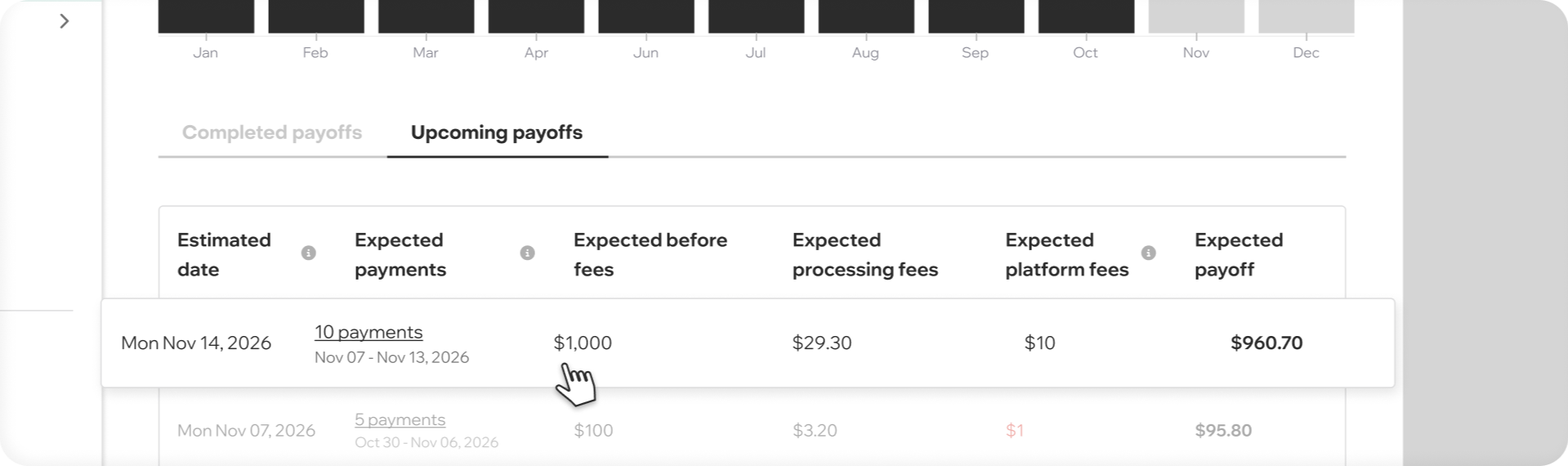
This table also helps you track future payoffs, showing when to expect transfers and the estimated amount:
In the image example, for the period Nov 07–Nov 13, 2026, Guildara has collected, and expects to collect, 10 online payments totaling $1,000. Those payments are expected to be transferred to your connected Stripe account on Mon Nov 14, 2026, after deducting estimated Stripe processing fees ($29.30) and the applicable Guildara platform fee ($10), based on your organization's current Pay-as-you-go plan.
Understanding earning trends
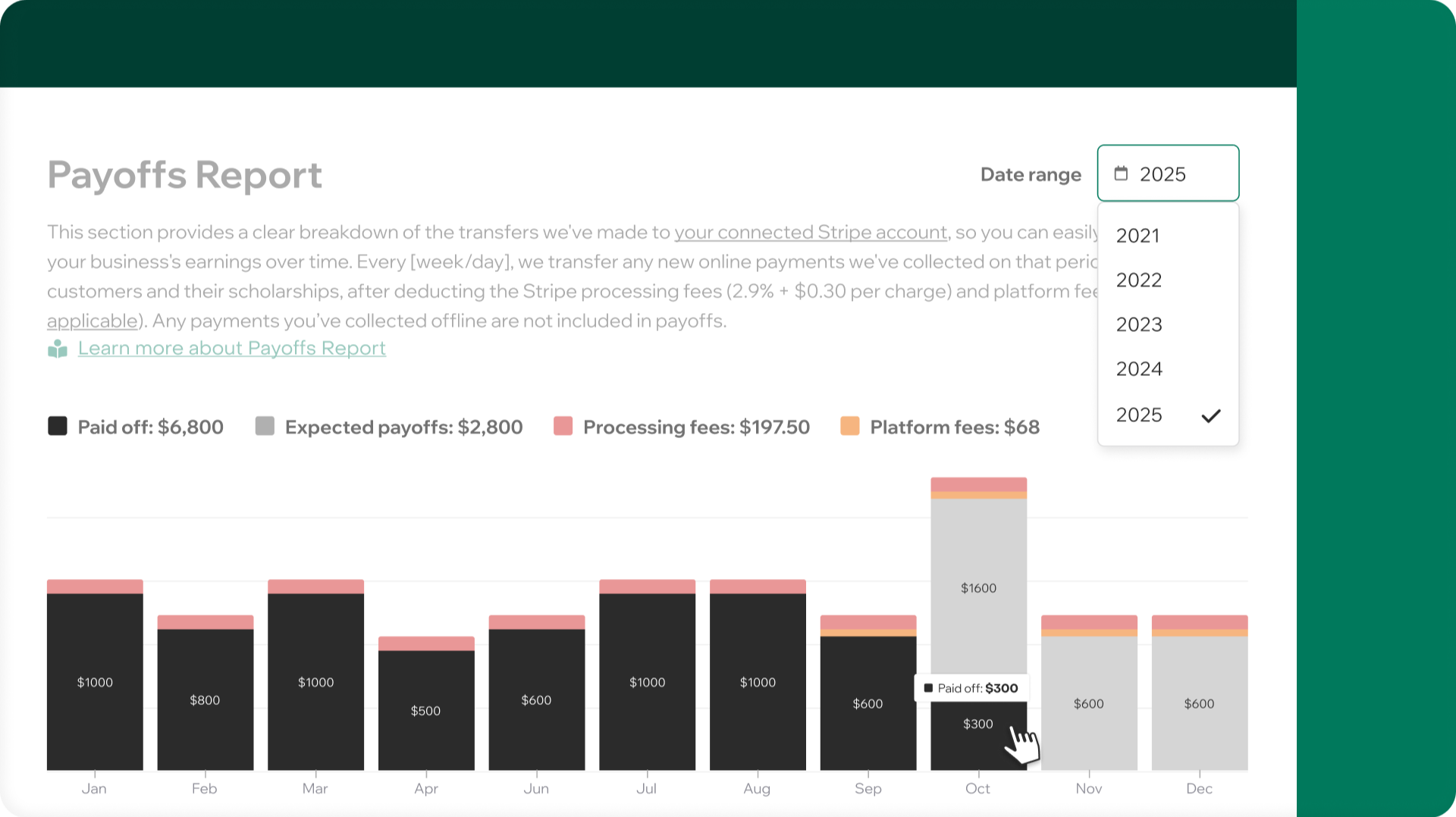
In the chart, you can see how your earnings are distributed each month for the selected year, giving you insights into your revenue and expected earnings for the rest of the year. This helps you identify high and low months, allowing you to plan your business more effectively. You can filter the report by year to compare trends across different years.