
How to automatically apply a discount code using a link


You can create a special registration link that automatically applies a discount code when families open it.
This is useful if you want to promote a discount from:
- Your website
- An email or newsletter
- Social media
- A direct message to families
When someone clicks the link, the discount code will already be applied at checkout.
Step 1:Customize your sharing link
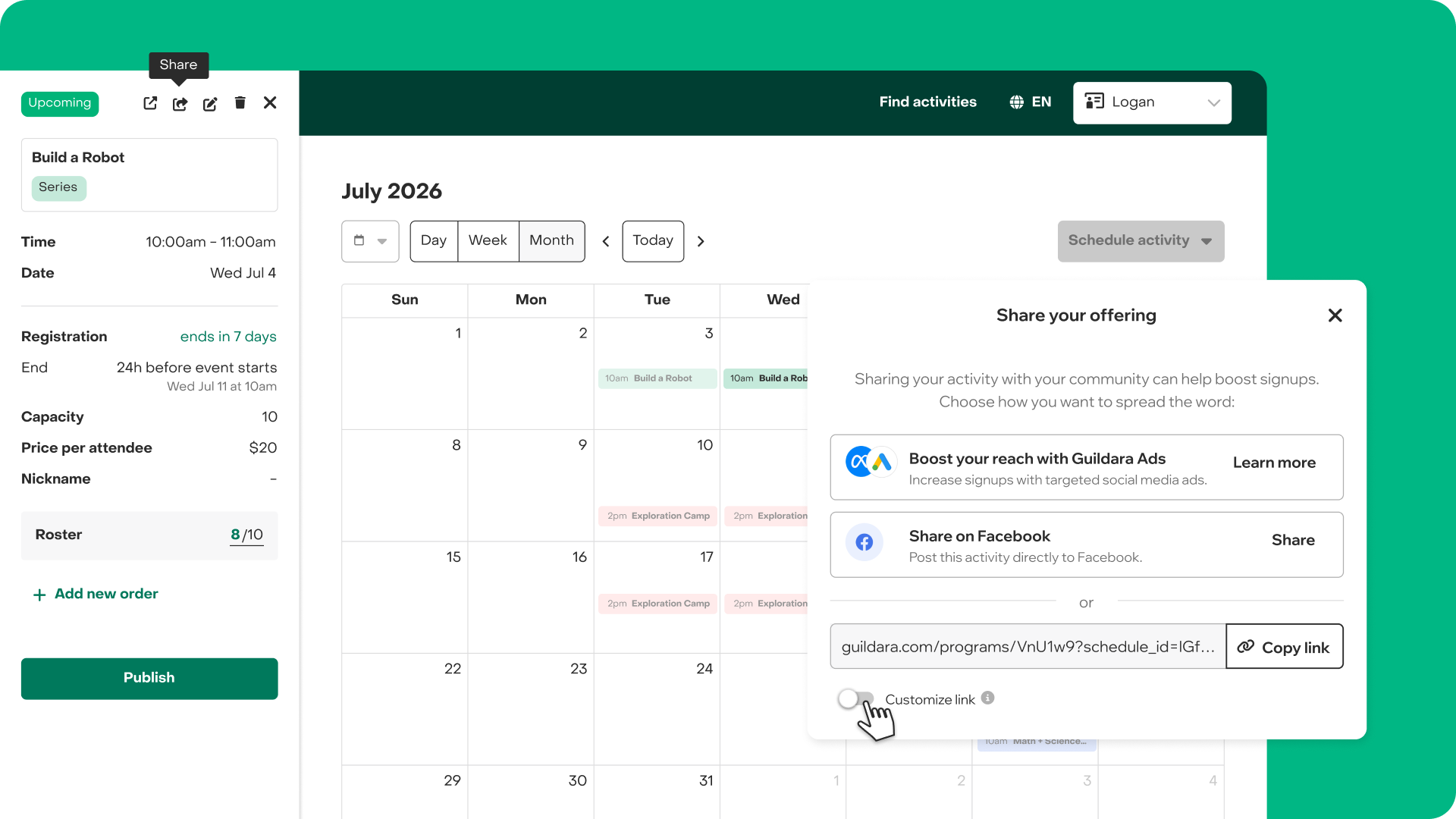
- Open the activity from your Calendar.
- Click Share.
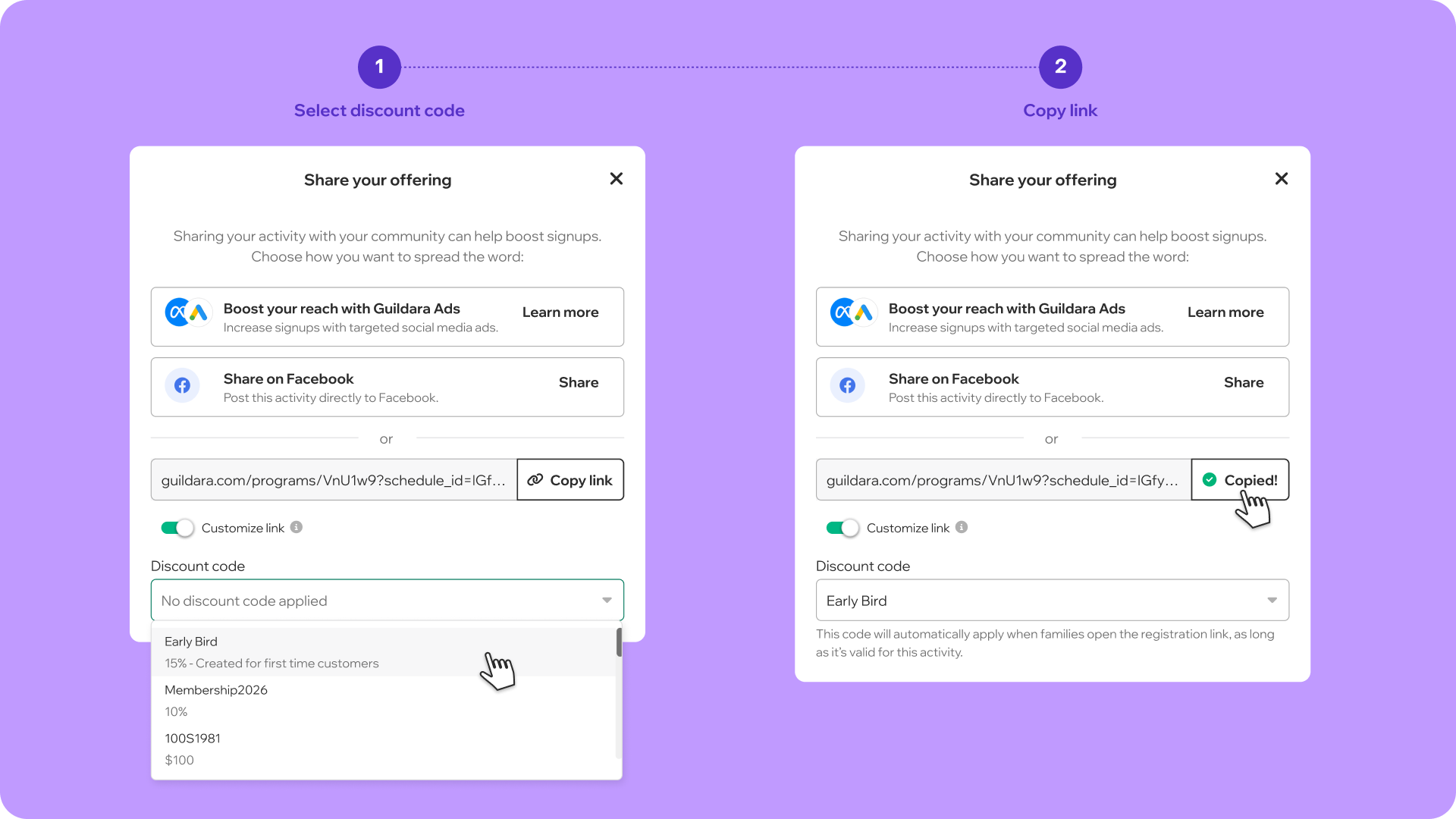
- Turn the Customize link toggle ON.
- Select the discount code you want to apply.
Note: The selected code will automatically apply when families open the link, as long as it’s valid for that activity. If the code isn’t valid, don’t worry — the link will still work, but the discount won’t be applied.
Step 3: Test the link
Before sharing the link, we recommend testing it. Paste the new link into your browser and open it. You should see that the discount code is already applied automatically.
Step 4: Share the link
You can now share this link anywhere you promote your program, such as:
- Your website
- Email campaigns
- Newsletters
- Social media posts
- Direct messages to families
Anyone who clicks the link will have the discount automatically applied.


