
Set up your email & SMS notifications


Guildara helps keep you and your customers in the loop by automatically sending important updates about registrations, payments, schedules, and more.
🔔 What notifications will your organization receive?
📧 Email notifications
Transactional emails
To ensure you stay updated, the following email notifications are activated by default:
- Registration confirmation: Receive an email whenever a participant registers for any of your activities.
- Registration cancellation: Receive an email whenever a participant cancels their registration for any of your activities.
- Activity review: Receive an email whenever a customer leaves a review for your activity.
- Pack purchase notification: Receive an email whenever a customer purchases a pack.
- Auto-charge payment failure: Receive an email whenever we are unable to process an installment payment.
- Payoff initiated: Receive an email whenever we initiate a transfer to your Stripe account.
- Payoff action required: Get recurring email reminders when you still have steps to complete to receive payoffs.
All notifications are sent to the email address saved in your account (under My Account).
Emails while you’re getting started
As you get started with Guildara, we’ll send a few emails to help you through the setup process:
- Welcome email: Helps you get started with your Guildara account.
- Organization status updates: Lets you know about changes to your organization’s approval status.
These emails can’t be turned off, but you’ll only receive them when they’re relevant to your setup.
Subscription emails
If you subscribe to a Guildara plan, we’ll also keep you updated about your subscription, including:
- Successful subscription payments and renewals
- Failed renewal payments
- Subscription cancellations
These emails can’t be turned off because they contain important information about your subscription and billing.
📲 SMS notifications
You can also opt in to the following SMS notifications:
- Booked appointment confirmation: Receive a text message whenever a participant books an appointment with you.
- Booked appointment cancelation: Receive a text message whenever a participant cancels an appointment with you.
Make sure your phone number is added in My Account to receive SMS notifications.
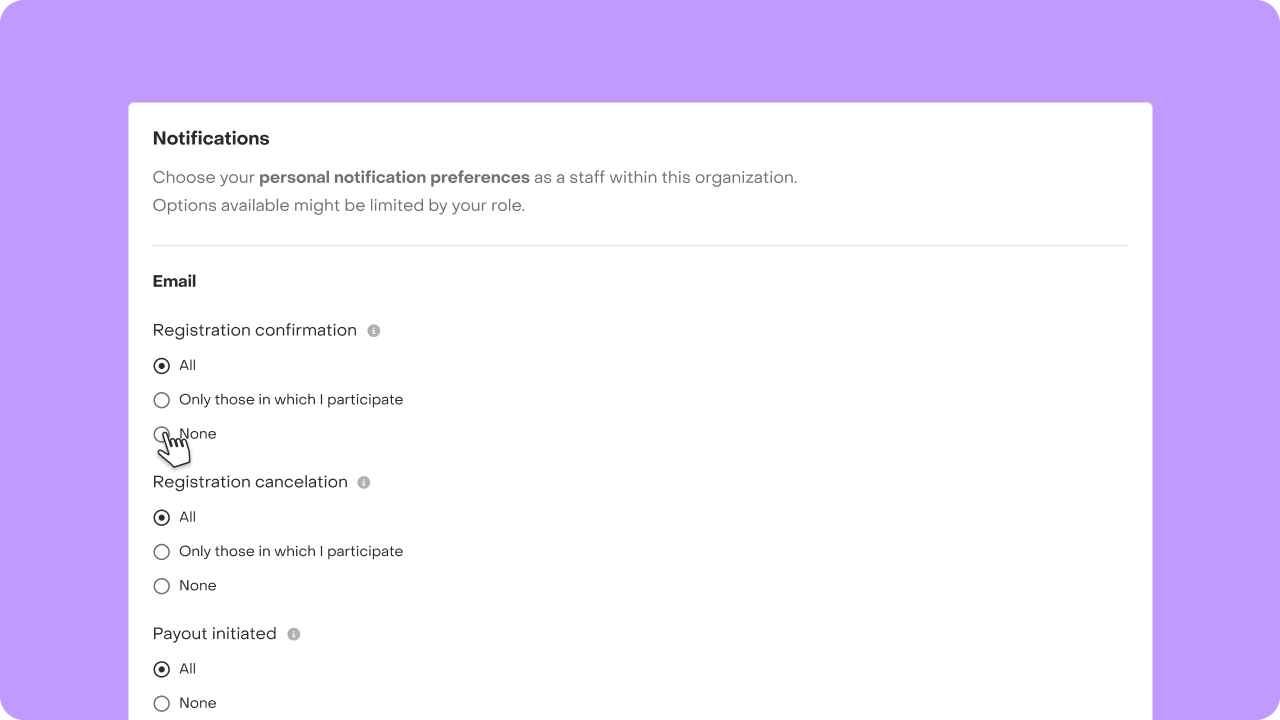
⚙️ Choose which notifications you receive
You can customize your personal notification preferences as a staff member within your organization by following these steps:
- Navigate to the "Preference" tab.
- Edit your email notification preferences by clicking on the available options for each item.
- Your changes will be automatically saved.
🔒 Keep in mind that the options available to you may vary depending on your role. Learn more about staff roles & permissions.

👤 What emails will your customers receive?
Guildara automatically keeps your customers informed about their registrations, schedules, and payments with emails like these:
- Registration confirmation: Confirms their registration.
- Schedule updates: Lets participants with confirmed registrations know when relevant schedule or activity details (like date, time or location) changed.
- Registration reminders: Reminds participants 24 hours before the schedule starts.
- Pack purchase confirmation: Confirms their pack purchase.
- Order updates, including:
- Registration cancellations
- Pack revocations
- Payment refunds
- Successful installment payments
- Failed installment payments so that they can update their payment method.
- Payment method updates: Lets them know if you make any change on their payment method.
- Credit updates: Lets them know when credit is added to or removed from their account.
- Waitlist invitations: Lets them know when a spot becomes available and they’re invited to register. Learn more about waitlist
- Scholarship application updates:
- Confirms that a scholarship has been granted.
- Reminds the customer when the scholarship is about to expire to give them the change to use it.
These emails are sent automatically when the corresponding action happens and can’t be turned off by customers.
If you're looking for more detailed notifications or require additional assistance, don't hesitate to contact us. We're here to help!


