
Manage your Dedicated Scholarship Fund (Donations tab)


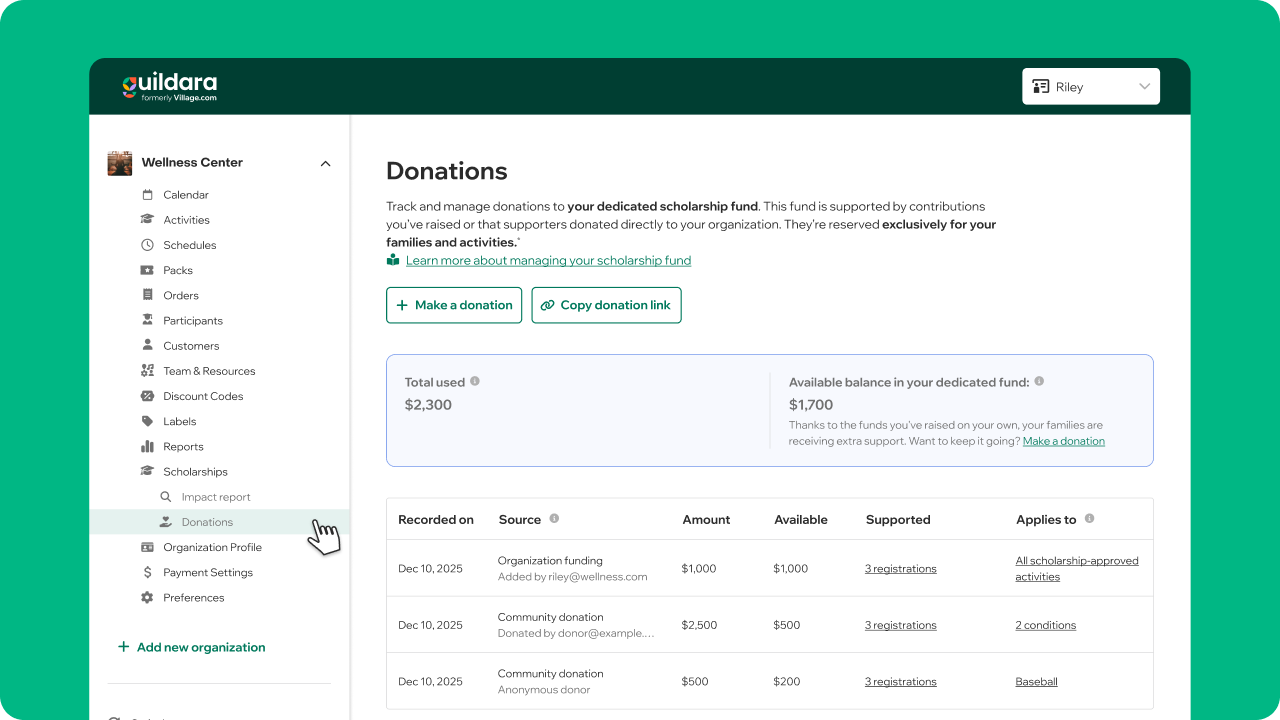
Transparency matters. That’s why, inside your Donations tab, you can track and manage every donation made to your dedicated scholarship fund. From here, you can:
- Make a donation
- Share your donation link
- Monitor balances and usage
- Customize how donations are applied
Balances
At the top of the page, you’ll see an overview of your fund:
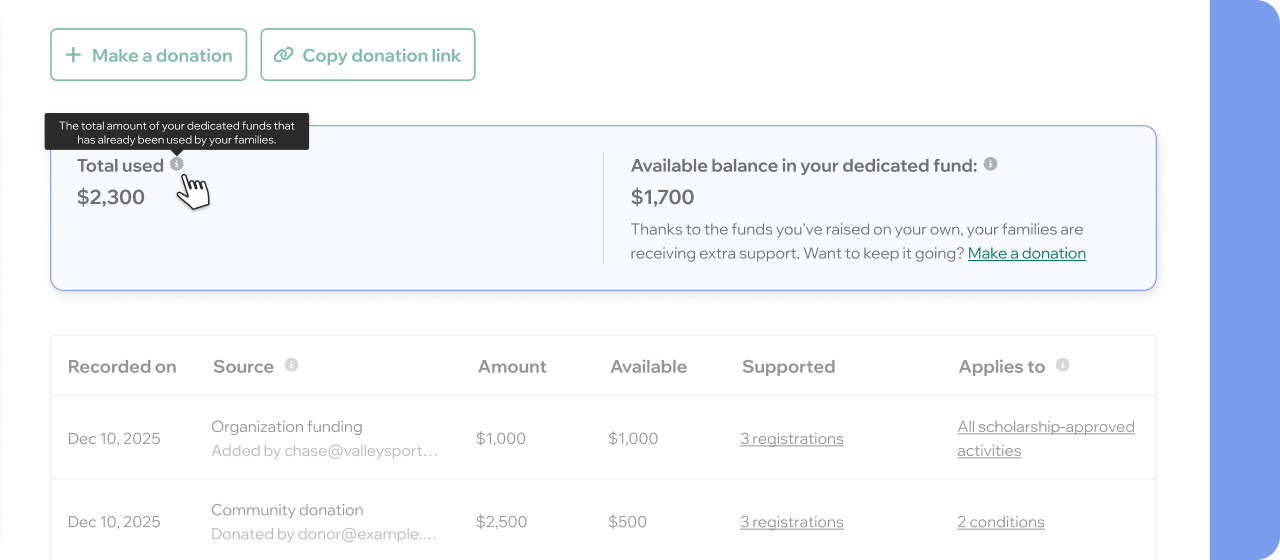
- Total Used: The total amount of your dedicated funds that has already been used by your families.
- Available Balance: Includes funds reserved for granted (unredeemed) scholarships and funds available for new allocations. Your Available Balance reflects the combined “Available” amounts from each individual donation listed in your table.
If your available balance runs out, The Village Project’s General Funds may still provide support, depending on availability.
Donations table
The Donations table shows every contribution made to your dedicated scholarship fund.
This includes:
- Organization funding (funds you raised and added to your scholarship fund through your dashboard, or by mailing a check to The Village Project) → Learn how to add online or offline donation.
- Community donations (funds donated directly by supporters or families) → Learn how to share your donation link.
If a donor chooses to remain anonymous, their information will not be visible. Otherwise, you’ll be able to see donor emails, which may help you send thank-you messages or run targeted donation campaigns.
What you can see for each donation
Amount
The original donation amount minus payment processing fees.
100% of donations support activity registrations, with the exception of Stripe processing fees, depending on the payment method:
- 3-4% for card payments
- 0.8% for ACH payments (capped at $5)
- 0% for check donations
Supported
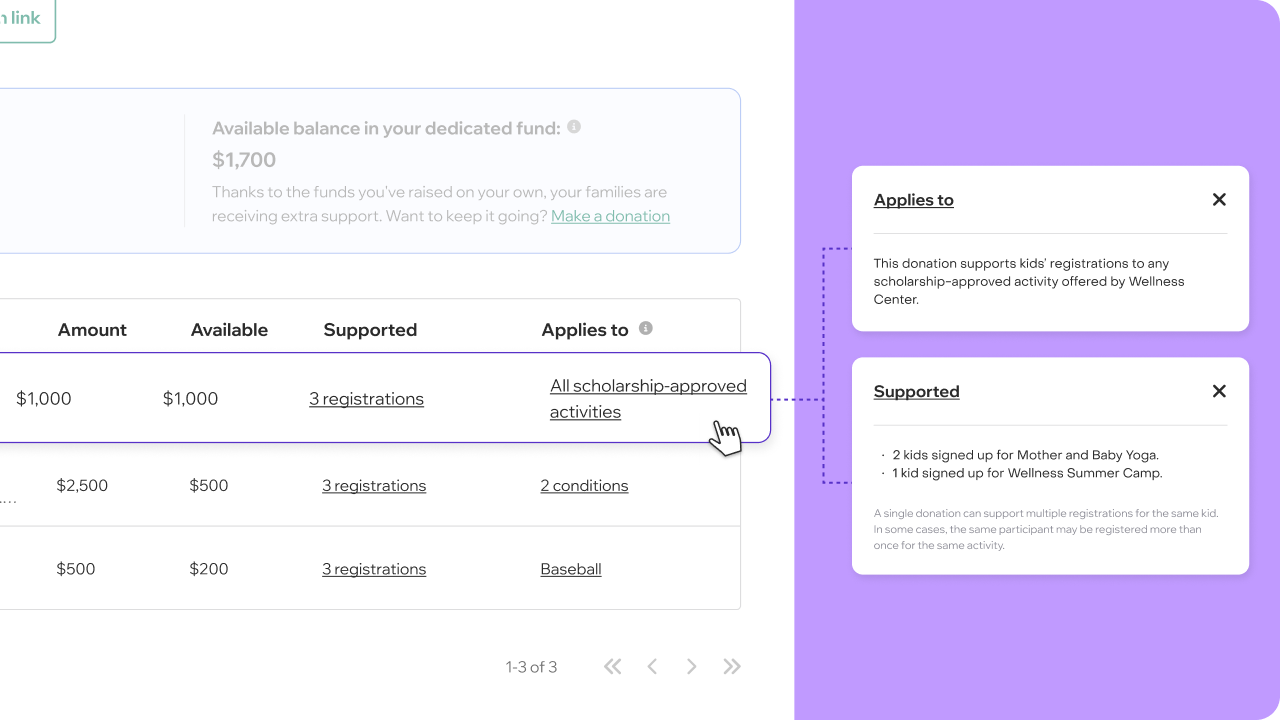
The number of registrations that donation has funded, and which activities were supported.
Note:
- A single donation can support multiple registrations.
- The same participant may register more than once for the same activity.
- To ensure fairness and protect privacy, we do not share the specific participant information of those who received scholarships.
Applies to
Defines how the donation is used across your activities approved for scholarships.*
Edit criteria
Click the edit icon to customize how the donation should be used.
Important to know:
- New criteria apply only to future scholarship applications.
- A donation applies only when all selected criteria are met.
If you are interested in customizing your donation, check the Donation Criteria article.
*Scholarships apply only to registrations for participants under 18 who demonstrate financial need, in activities approved under Guildara's Promotion Policy.
🔒 Can’t access this feature? Access to the complete feature or functionality may be limited by your role within the organization. For more details, please refer to Team Roles & Permissions.


